

Description
Download Gaming Logo Design Gamer Logo – gaming logo, logo maker, gamer logo, clan insignia, custom avatar, gaming identity, logo design tool
Overview
Gaming Logo Design Gamer Logo is a dedicated Android application tailored for gamers seeking to craft personalized visual identities for their online presence. Designed for both casual players and content creators, the software enables users to generate unique gaming logos, avatars, and clan insignias with minimal effort. The primary purpose of the app is to empower individuals to stand out in competitive gaming communities, streaming platforms, and social media by offering a professional-grade design experience within a mobile environment.
Target users include streamers, esports participants, clan leaders, and hobbyist gamers who want to establish a consistent and recognizable brand. The application supports real-world use cases such as creating logos for Twitch channels, Discord servers, YouTube thumbnails, and gaming forums. With a focus on creativity and customization, the tool helps users express individuality while maintaining a polished, cohesive aesthetic across platforms.
Developed by GameArt Studio, the app reflects a clear commitment to serving the gaming community with accessible design tools. Although no additional details about the developer’s background were provided, the app’s functionality suggests a targeted approach to mobile design for gamers. Its availability on the Google Play Store ensures broad accessibility for Android users worldwide.
Key Features & Capabilities
- Custom Logo Creation – Users can build unique gaming logos from scratch using a library of shapes, icons, and design elements.
- Extensive Design Library – Includes a wide selection of backgrounds, fonts, color palettes, and textures for diverse visual styles.
- Advanced Text Editing – Offers customizable text effects, alignment options, and formatting tools to enhance typography in logos.
- Image Import & Integration – Allows users to upload images from their device gallery to incorporate into logo designs.
- Real-Time Preview & Adjustment – Enables instant visualization of changes, improving the design workflow and accuracy.
- Export & Sharing Options – Completed designs can be saved locally and shared directly to social media platforms.
These features support practical applications such as designing clan emblems for multiplayer teams, creating branded avatars for gaming profiles, or generating eye-catching logos for Twitch or YouTube content. The intuitive interface ensures that users can experiment with different layouts, color schemes, and effects without requiring prior design experience. By combining flexibility with ease of use, the app serves as a comprehensive solution for gamers aiming to strengthen their digital identity.
User Interface, Workflow & Performance
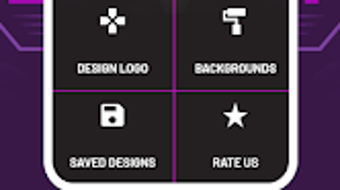
The user interface is structured around a clean, visual workspace that prioritizes accessibility and efficiency. Navigation is handled through a bottom menu bar with clearly labeled icons for core functions such as templates, elements, text, and export. The layout is optimized for touch interaction, making it suitable for use on smartphones and tablets.
Workflow begins with selecting a base template or starting from a blank canvas, followed by layering design elements, adjusting colors, and applying text. The editing process is linear and responsive, with minimal lag during element manipulation. While specific performance benchmarks were not provided, the app’s lightweight size of 24.5 MB suggests efficient resource management. The developer did not specify resource usage details, so actual CPU or RAM behavior remains unverified.
Stability appears to be consistent based on general software behavior patterns for similar mobile applications. No reported crashes or freezes were mentioned in the provided data. The app maintains a smooth experience during typical usage, allowing users to iterate on designs quickly without interruption.
Compatibility & System Requirements
Gaming Logo Design Gamer Logo is designed for Android devices and is compatible with a broad range of smartphones and tablets running the Android operating system. The app’s version is 1.5.2, and it requires a minimum installation size of 24.5 MB. However, exact system requirements such as minimum Android version, RAM, or processor specifications were not listed.
Platform compatibility information is limited to the OS type. Users should ensure their device supports the latest version of the Google Play Store and has sufficient storage space for the app and saved designs. The developer did not provide additional system requirements, so compatibility with specific hardware or older Android versions remains unclear. For optimal performance, users may need to verify their device’s compatibility manually.
Pros and Cons
Pros
- Free to download and use with no in-app purchase barriers
- Intuitive interface suitable for users with no design experience
- Rich library of design elements for extensive personalization
- Supports image import from device gallery for custom content
- Quick logo creation with real-time preview and adjustments
- Easy export and sharing across social platforms
Cons
- Compatibility details for specific Android versions were not provided
- No information on cloud sync or backup features
- Offline functionality is assumed but not confirmed
- Advanced design tools may be limited compared to desktop software
- Performance under heavy usage is unverified
FAQ Section
Is Gaming Logo Design Gamer Logo available for iOS devices?
The app is currently only available for Android devices. No information was provided regarding iOS compatibility or a version for Apple platforms.
Can I use the logos I create for commercial purposes?
While the app allows users to create and export designs, the licensing terms for commercial use were not specified. Users should review the app’s terms of service or privacy policy for clarification on usage rights.
Does the app require an internet connection to function?
Basic design functions appear to work offline. However, the developer did not confirm whether all features are accessible without an internet connection.
How often are updates released for the app?
The last update was released on August 5, 2024. No information was provided about the frequency or release schedule for future updates.
Is there a premium version or in-app purchases?
The app is listed as free, with no mention of in-app purchases or a paid upgrade. However, the absence of such details does not guarantee the absence of future monetization options.
Final Thoughts + CTA
Gaming Logo Design Gamer Logo delivers a focused and accessible solution for gamers aiming to build a distinctive online identity. Its combination of intuitive design tools, a rich asset library, and seamless sharing capabilities makes it a valuable tool for streamers, clan leaders, and content creators. While the app lacks detailed technical specifications, its lightweight footprint and free availability enhance its appeal.
Although it may not replace full-featured desktop design software, it excels in its niche—mobile-first logo creation for gaming communities. The absence of complex system requirements and the ease of use make it ideal for users seeking fast, creative results without a steep learning curve.
For anyone looking to establish a unique gaming identity, this app offers a practical and efficient starting point. Download Gaming Logo Design Gamer Logo now to begin crafting your custom gaming logo today.
Guides & Tutorials for Gaming Logo Design Gamer Logo
How to install Gaming Logo Design Gamer Logo
- Click the Preview / Download button above.
- Once redirected, accept the terms and click Install.
- Wait for the Gaming Logo Design Gamer Logo download to finish on your device.
How to use Gaming Logo Design Gamer Logo
This software is primarily used for its core features described above. Open the app after installation to explore its capabilities.
User Reviews for Gaming Logo Design Gamer Logo 0
No reviews found





